
Google Chrome extension
Google Calendar™ Templates
Save the meetings you create over and over as templates, then drop them into Google Calendar™ in one click. Title, guests, duration, description and conferencing are already filled in.
Download for ChromeFree · Installs in about two minutes · Installation guide
Pick a template right inside the event window.
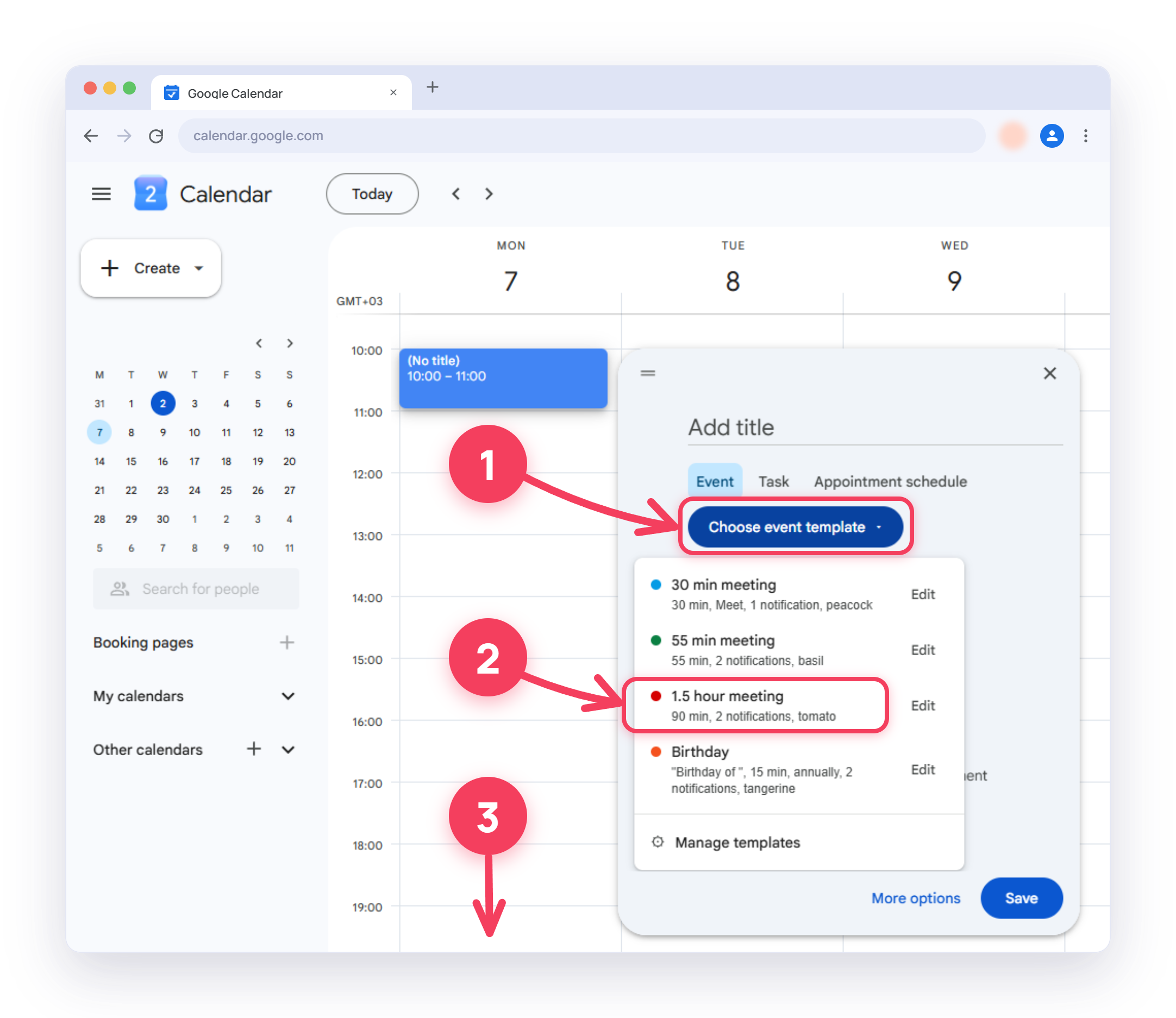
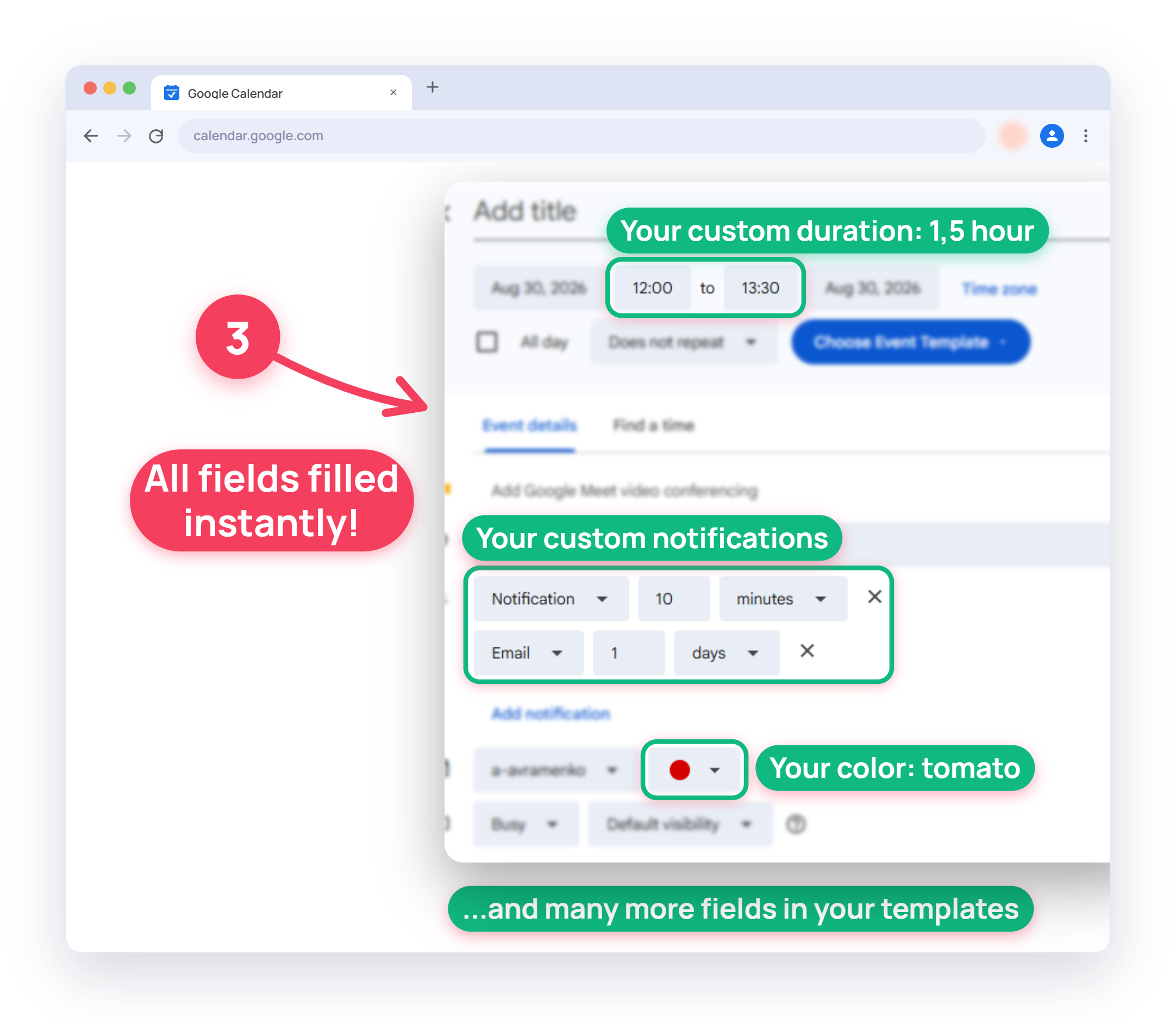
Every field lands pre-filled. Save and you're done.
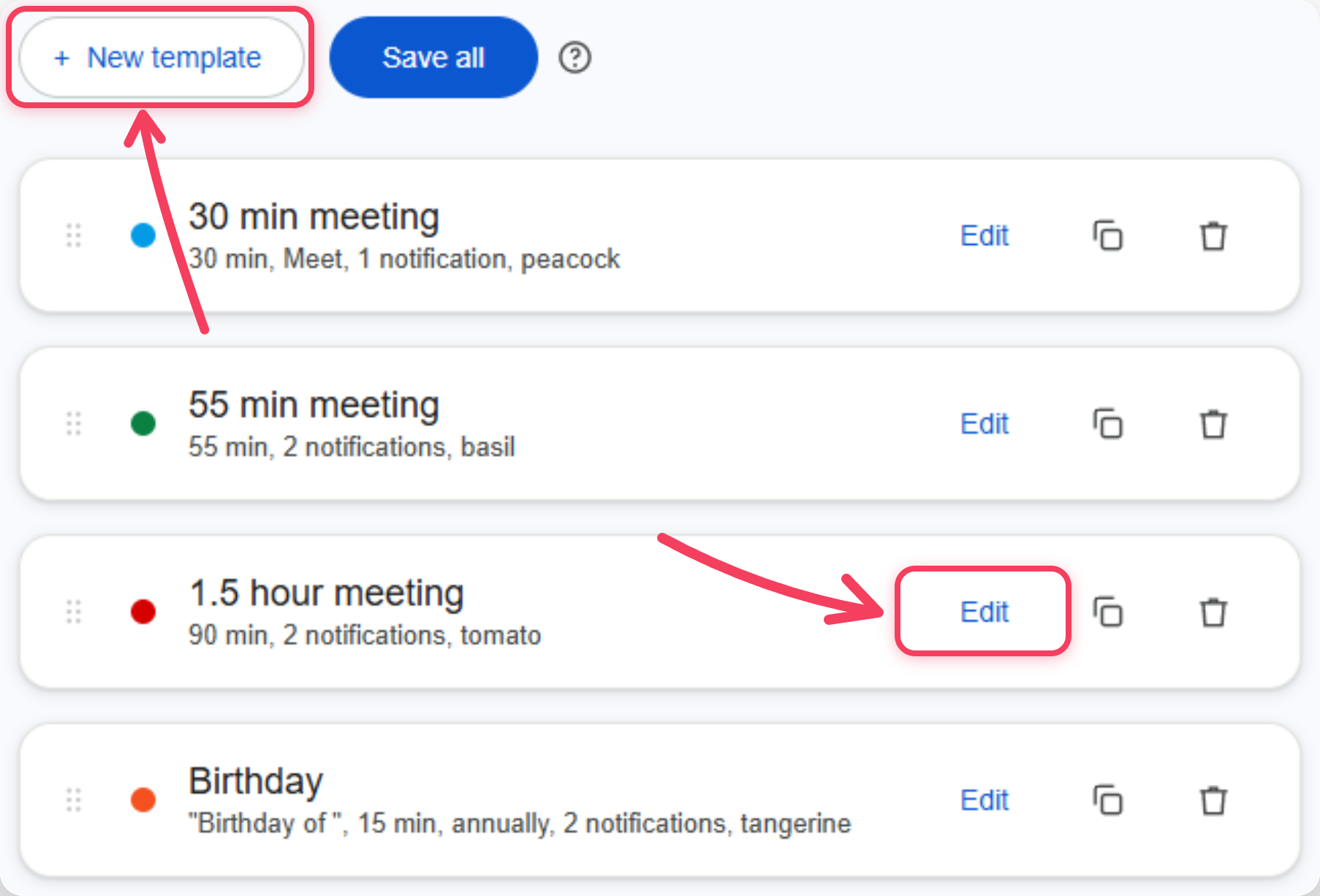
Create or edit your own templates
Set your own fields once, reuse forever
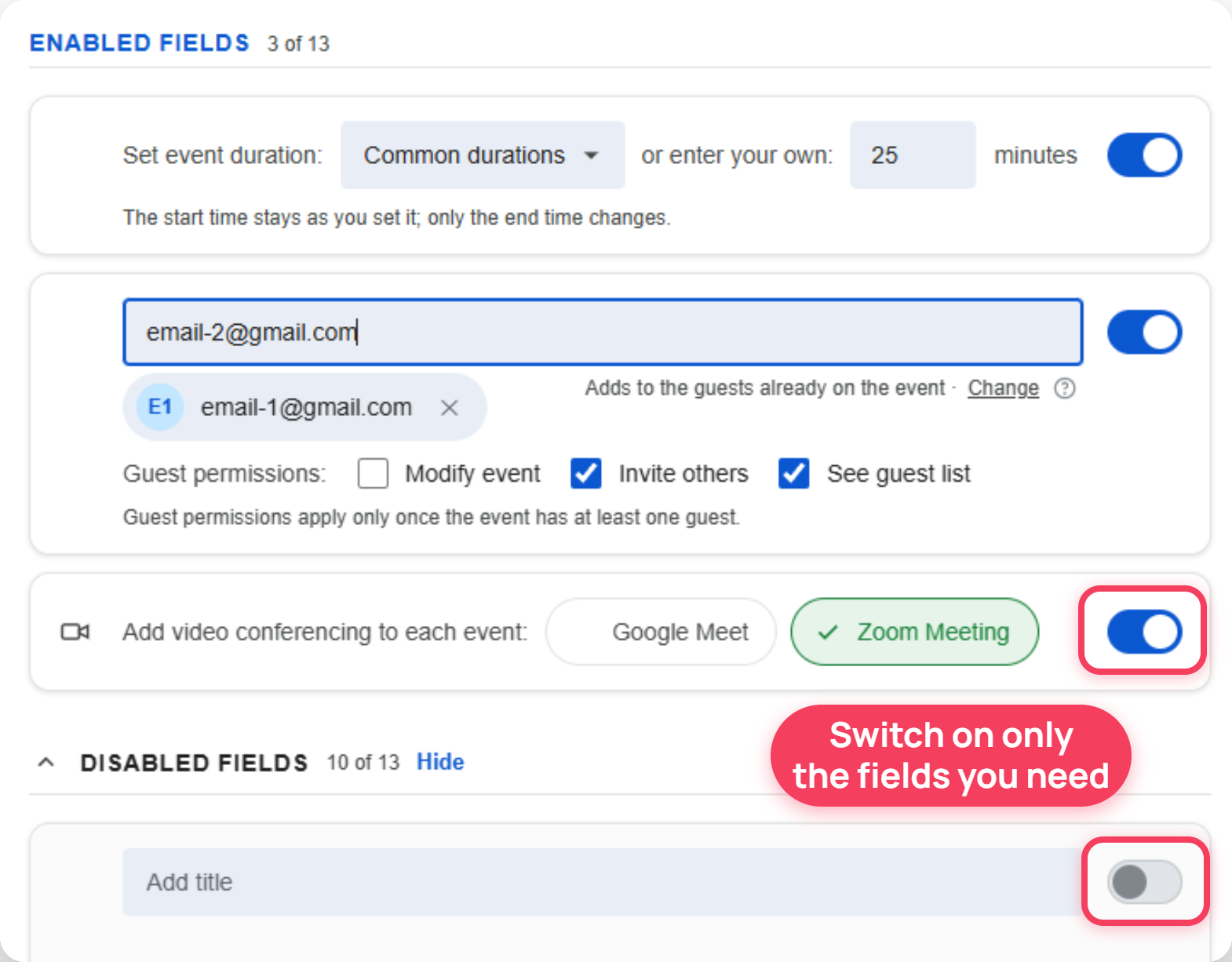 Try the template editor